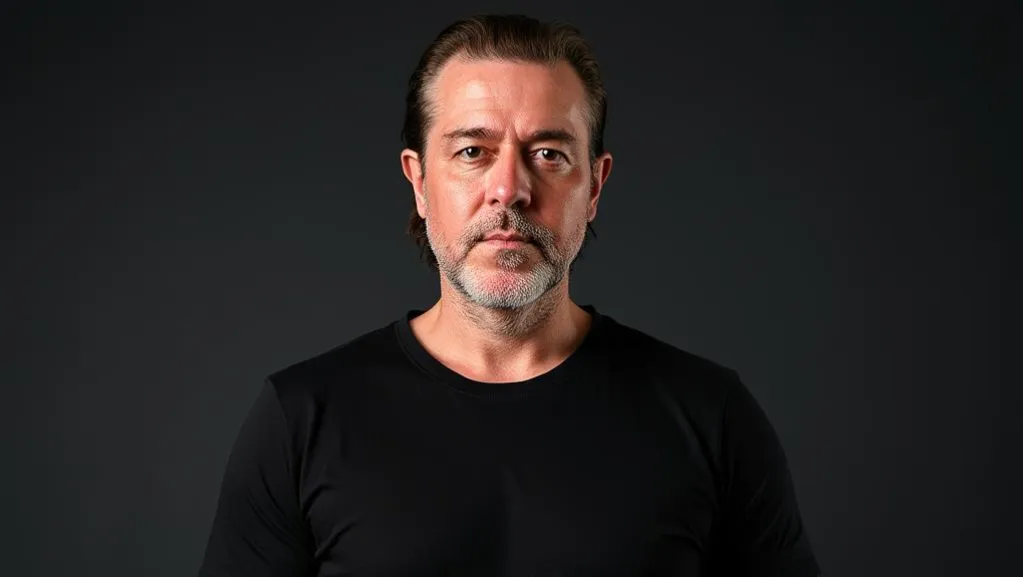
Ok, admitted: this is a toy. I could not keep it from you anyway. For the podcast I needed a face that speaks, and I did not want to stand in front of the camera for every intro myself. So, an avatar. From a single photo. What started as a weekend idea became a small study of how a model writes Python scripts to reach a goal, and where a human who placed bones in Maya back in the day has to step in so it comes out clean.
How it came about
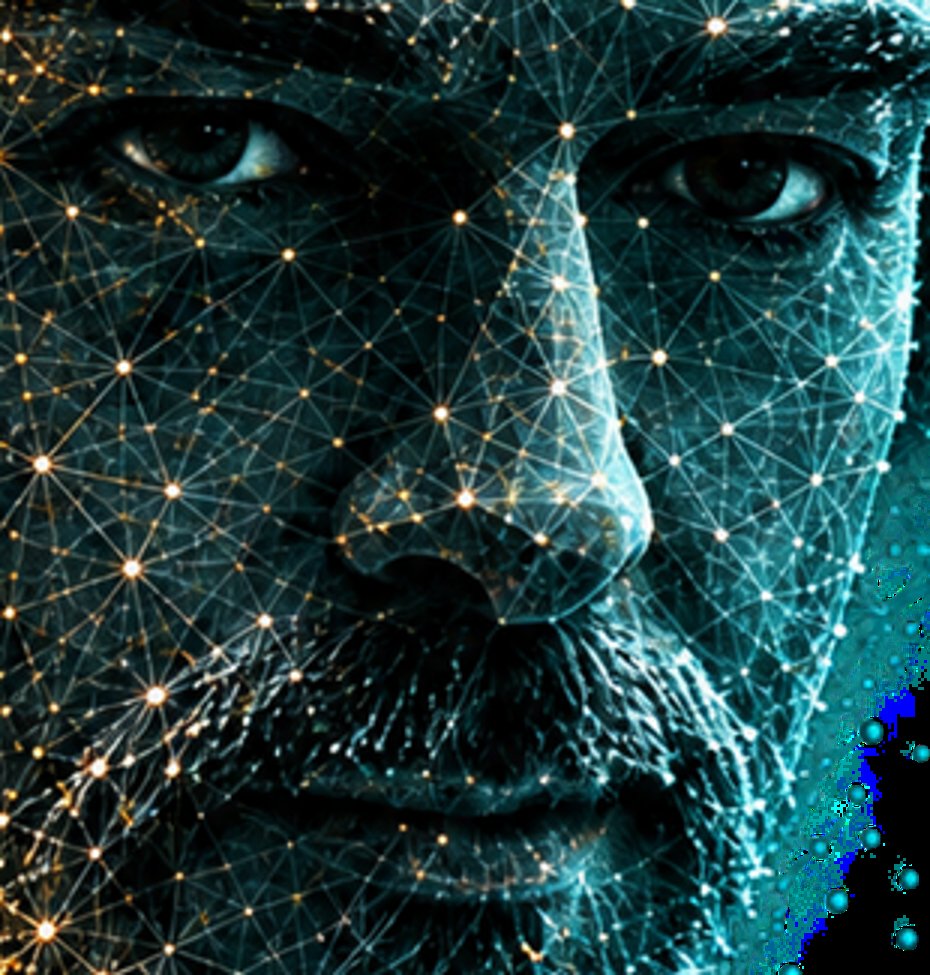
The podcast is called AI Maschinenraum, the engine room. I wanted an intro that looks like an engine room: a server room, a title, and a head made of points that is still me. The head should be able to speak, blink, wink. And it should come from a photo, not from a 3D scan, because I do not have a scanner and because the question interested me: how far do you get with one image?
Fact is: ready-made tools for this exist. You upload a photo, you get a video back. But then I do not know what happens, my data sits somewhere, and I learn nothing. That is not the engine room. So we built it ourselves, locally, without a single image leaving the machine.
Why it is a study and not a product
The real purpose was not the avatar. The purpose was to see how a model works when you give it a goal that takes several steps: photo in, find facial points, fit a 3D mesh, hang a jaw, mimic muscles, mouth shapes to sounds, render the whole thing in the browser. The model writes Python scripts. One after the other. fit_face_rig.py, face_rig_3d.py, face_performance.py, render_rig_review.py, export_live_avatar.py. Each script one step, each step checkable.
And at the end there is a mini model that can move such an avatar quite well from one photo. Not perfectly. Quite well. For a podcast intro that is enough. For a client it is not, and that is written in the README so that nobody confuses the two.
One photo, 468 points
The first step is the simplest and the one where most things go wrong. From the photo, 468 facial points are measured, landmarks, with a local model from Google MediaPipe. Add a canonical face topology, a ready mesh that knows which points belong together: eyelids, lips, nostrils. You lay it over the measured points, and you have a face in three dimensions. The depth is estimated, from one image, you have to know that. It is not a scan.
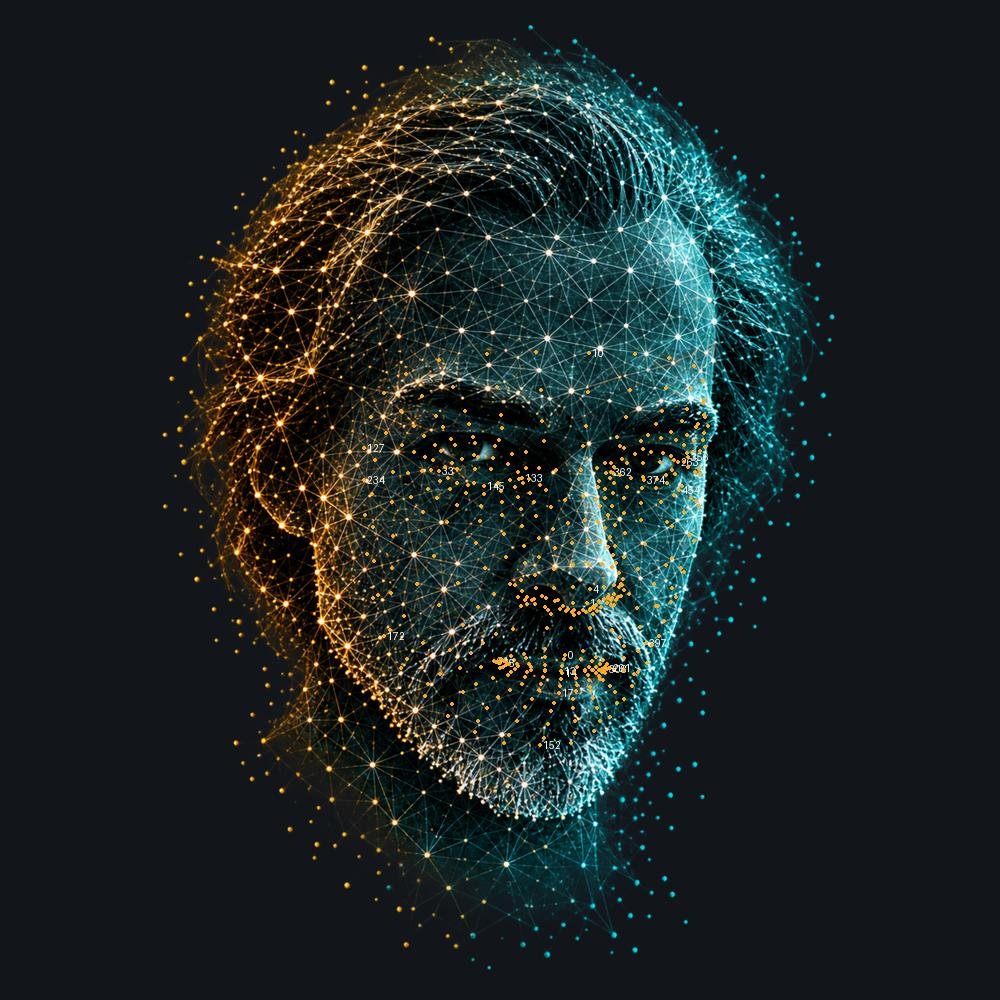
And that is exactly what happened. The photo I used is stylised, a glowing lattice over the face. That pulled the automatic eye points downward. The model did not notice. I did, looking at the review image. So there is a place in the script with fourteen hand-set anchors, lid edges and lip edges, and a thin plate spline correction that pulls the rest of the mesh along. Once, for the rest pose. After that it is right.
The jaw is a bone, the rest is skin
This is where it gets interesting, and where experience came in. A face that speaks is mostly a jaw that rotates. Not a mouth that opens and closes, but a lower jaw that rotates around an axis behind the ears, and skin that hangs on it. Whoever builds that as a displacement of mouth points gets a fish. Whoever builds it as a bone gets a face.
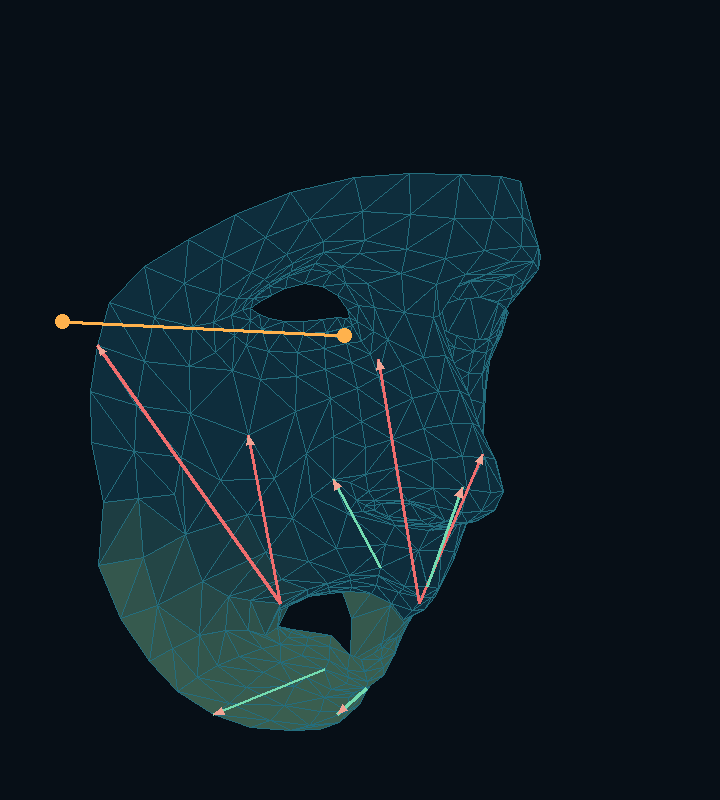
In the script the axis is two points, left and right, offset from the ear points: 18 down, 45 back. Those are not measurements of my skull. Those are values I shifted until the jaw dropped correctly in the review view. Then comes the part the model does well: every point of the mesh gets a weight between zero and one, how much it follows the jaw. Lower lips one, nose zero, soft in between. A harmonic field on the mesh computes that, a Laplace equation with fixed boundaries. Chin and beard hang on the jaw. The hair on the sides on the skull. The neck on nothing at all.
What Maya taught us back in the day
I have done this before. Back in the day, in Maya, with bones and skin weights, by hand, painted point by point. Whoever has done that once never forgets two things: a bone belongs where the joint really is, not where it looks like in the picture. And a mesh has to be clean before you move it. A triangle that runs across the lip edge tears the first time the mouth opens.
The model got both wrong at first. The jaw axis sat too far forward, at the mouth corner, because that is where the points are. And the mesh had no separation between upper and lower lip, the mouth was a closed hole. I did not rewrite it myself. I said where it was wrong and why, the way you tell a junior who is rigging for the first time. Then came the next script, with the axis behind the ears and with its own inner edge for the mouth. And the muscles: risorius, zygomaticus, levator, depressor, mentalis, as pull directions between attachment points, with a falloff along the mesh edges, not as a sphere in space. Otherwise the smile pulls the nose along.
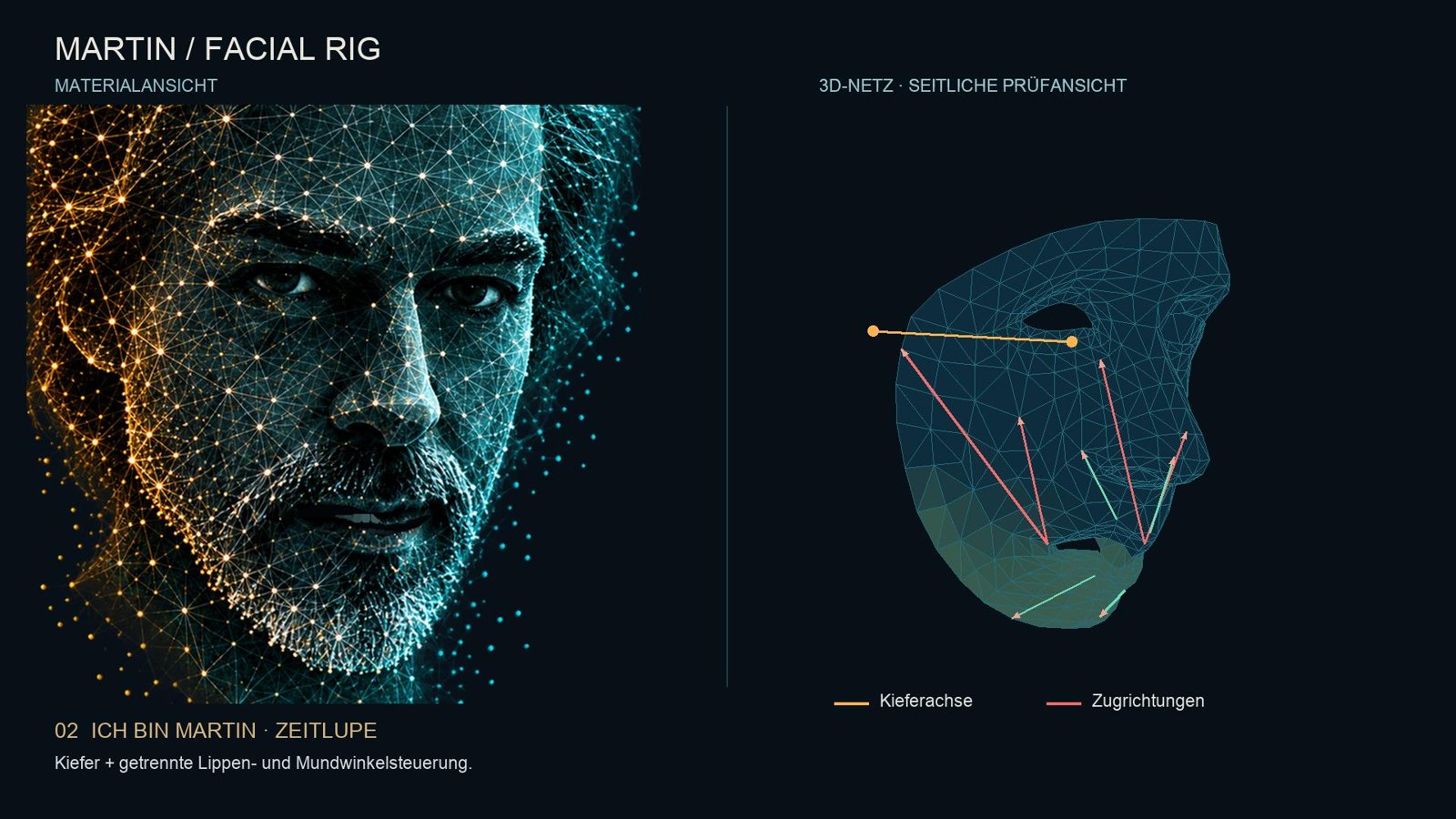
It was some effort. More than I thought at the start. But the corrections were always the same two: where is the bone really, and is the mesh clean. Whoever has that in their head can lead a model there.
Twelve mouth shapes and one clock
Speaking is no longer hard once the jaw is right. There are twelve mouth shapes, visemes: rest, A, E, I, O, U, M-B-P, F-V, L-N-T-D, CH-SH, S-Z, K-G. Each is a mix of jaw angle and shape targets. And there is one rule more important than any mouth shape: there is only one clock, and that is the audio clock. Every mouth shape is scheduled on the time of the sound, not on a timer in the browser. Otherwise it drifts after thirty seconds, and then no M lands on a lip closure anymore.
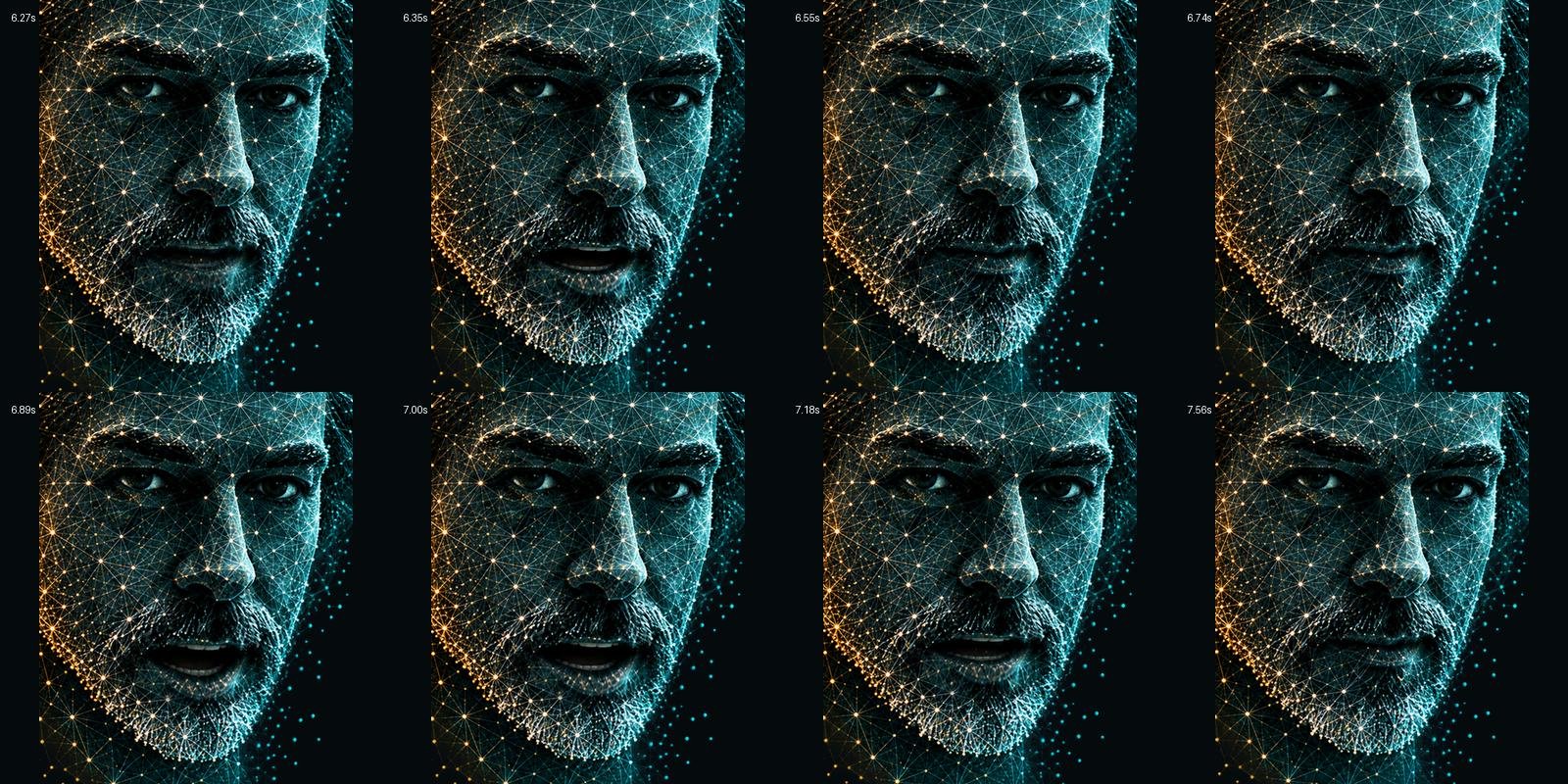
The voice comes as a stream from a TTS provider, with timestamps per character. The characters become approximated German mouth shapes, sch, ch and double sounds merged. That is not phoneme recognition, the docs say so too, and you see it in fast sentences. For the next level you attach a real viseme provider to the same interface. The key for the provider sits on the server, never in the browser. Even for a toy.
The forehead must not be dead
After the mouth the face was right, but dead. A person who speaks moves the forehead. So three more shape targets, following the scheme animators call FACS: inner brow up, outer brow up, brows down. Left and right separate, because no face is symmetrical. A quiet idle when he says nothing, with its own phase per side, so they never move in lockstep. And while speaking only a light overlay: an M lowers the left a little, an O lifts the right a little. Not every letter. Otherwise the forehead ticks like a clock.
That is the kind of detail that only shows when it is missing. And the kind where the model can do nothing with the description "more natural". You have to tell it: three channels, falloff on the edge graph, radius 55, 50, 45, neck and hair stay zero. Then it builds that in half an hour.
Seven versions, five jingles
In the output folder there are seven versions of the intro. Version 1 was a particle cloud forming into a head. Version 3 had the title. Version 4 the wink. Version 5 the first facial animation, with a ghost effect on the voice that I took out again. Version 6 the 3D rig. Version 7 the fixed neck, because in version 6 the neck still moved with the jaw, and you see that immediately. Plus five jingles, calm, balanced, future, impact. In the end I took one of the middle ones.

Fact is: of seven versions, six are detours. But every detour was a script you could look at, and a review image that showed what was not right yet. That is the difference to a tool that delivers a finished video. There you only see the result and cannot learn anything.
What really interested us: the generic scripts
Now the part that goes beyond the toy. What interested us in this study was not whether the model could produce an avatar. It was whether it generates the generic scripts cleanly, the way we wanted them. Generic means: the script does not know my face. It knows a mesh, weights, an axis. You can give it a different photo tomorrow, a different mesh, and it computes the same thing. Without asking a model.
An excerpt, so you see what I mean. This is the place where every point of the mesh gets its jaw weight. Not painted by hand as in Maya, but computed: a few points are pinned, lower lips to one, everything above the mouth line to zero, and the rest follows as a harmonic field on the mesh. One sparse Laplace equation, one solve, done. The muscle pull is a second calculation: shortest path along the mesh edges, Dijkstra. Not a geodesic over the surface, and not a sphere in space. Otherwise the smile pulls the nose along.
# jaw weight: pin the boundaries, solve the rest as a harmonic field
pins = {}
for i in range(N):
    if V[i, 1] < mouth_mid[1] - 60: pins[i] = 0.      # above the mouth line: never moves
    if i >= 468:                                       # hair and beard shell
        if V[i, 1] > mouth_mid[1] + 35 and abs(V[i, 0] - V[152, 0]) < 145: pins[i] = 1.  # beard follows the jaw
        elif abs(V[i, 0] - V[152, 0]) > 170: pins[i] = 0.                                 # side hair stays on the skull
for i in UPPER + UPOUT: pins[i] = 0.
for i in LOWER[1:-1] + LOWOUT[1:-1] + [15, 16, 18, 200, 199, 175, 152]: pins[i] = 1.
for i in [78, 308, 61, 291]: pins[i] = .25                                                # mouth corners: a quarter

fixed = np.array(sorted(pins)); free = np.array([i for i in range(N) if i not in pins])
JAW = np.zeros(N); JAW[fixed] = [pins[i] for i in fixed]
JAW[free] = spsolve(LAPLACE[free][:, free] + diags(np.full(len(free), 1e-9)),
                   -LAPLACE[free][:, fixed] @ JAW[fixed])
JAW = np.clip(JAW, 0, 1)

# muscle pull: falloff along the surface, not a sphere in space
def support(ids, radius):
    ds = dijkstra(GRAPH, directed=False, indices=ids, min_only=True)
    t = np.clip(1 - ds / radius, 0, 1)
    return t * t * (3 - 2 * t)                          # smoothstep, soft at the edge
What is clean about it: there is no number that belongs to my face, except the indices of the topology, and those are standard. There is no call to a model. It runs in a second on a laptop. And if I want to rig a different head tomorrow, I change the anchors, not the script.
This is where many take the wrong turn today. They let the model look at the face every time, estimate the weights every time, burn tokens every time. For the same result, only slower and more expensive, and a little different tomorrow. We do it the other way round: the model writes the generic script once. Then the script runs. And we only ask the model where a decision is pending that no script can make. Where does the axis sit in this photo. Is this eye too low. Those are few questions, and they are worth it.
The pattern is the same for the avatar as for the fifty micro models or the prototype for the test data at the public authority. Only here you can see it on one screen.
Why you have to build small things too
Normally we sit on the highly complex things. Keeping fifty models alive, a prototype for test data at a public authority, an agent that never signs off on its own. That is the work, and it is good. But it has a downside: you only see the result after weeks. And you forget what a model feels like when you look over its shoulder.
Small things show how the model thinks. In a big project you only see the result of a sprint. With an avatar you see every script, every decision, and where it guesses. You learn that nowhere better.
Small things keep the craft awake. I would not have thought that Maya knowledge from back in the day would make the difference once more. It did. Whoever only writes prompts loses that.
Small things are fun. You are allowed to say that. A head that says "Ich bin Martin" correctly for the first time, with a jaw that drops and a neck that stays, that is a good evening. Without that part I would not do the rest for so long.
What it is built with
This belongs here clearly, not in a footnote. The 468 facial points come from the Face Landmarker in Google MediaPipe, and the mesh that connects the points is the canonical face model from the same project, adapted locally. Both are under the Apache 2.0 licence, both run locally here, no image leaves the machine. Without that groundwork the first step, turning a photo into a mesh, would have taken weeks on its own. What builds on it, the jaw as a bone, the muscles, the mouth shapes, the brows, is ours. Licence and notices are included in the repo and on the playground.
What stays
The avatar runs in the workshop, locally in the browser, with the rig from the photo. You can give it a sentence and it speaks it. Not perfectly. Quite well. The scripts sit next to it, with the corrections by hand, each commented, so you can see where it was human and where it was model.
One photo, 468 points, a jaw as a bone, muscles as pull directions, twelve mouth shapes on one clock, three brow channels. The model wrote the scripts. I said where the bone really sits and when the mesh is clean, because I learned that in Maya back in the day. A toy, yes. But whoever only builds big things forgets how a model works. That is why this belongs in the workshop too.
Written by me. The thoughts, the values, the learnings, the mistakes: all mine. Grammar and spelling are corrected by a twin model of my own, trained on my texts. Sometimes that turns into a mix. Of course I read everything again, but nobody is infallible. Whatever stays in is mine too.